The TV remote that never charges for volume.
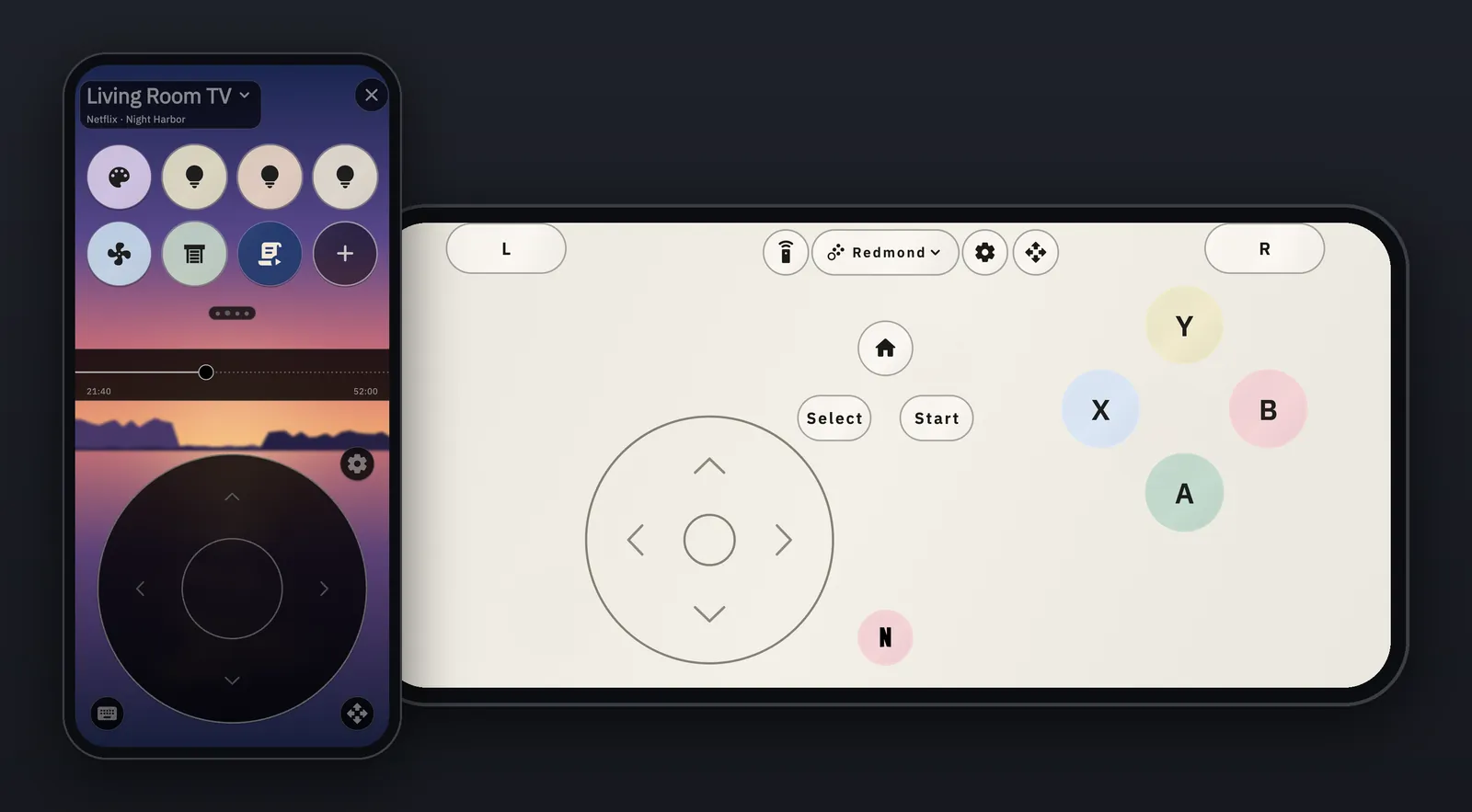
Demote turns your phone into a remote for every TV in the house. Turn it sideways and it's a game controller. Volume, power and the keyboard are never locked. No ads, no account, no subscription.
Free to download. One optional Lifetime Unlock, never a subscription. See what's new.
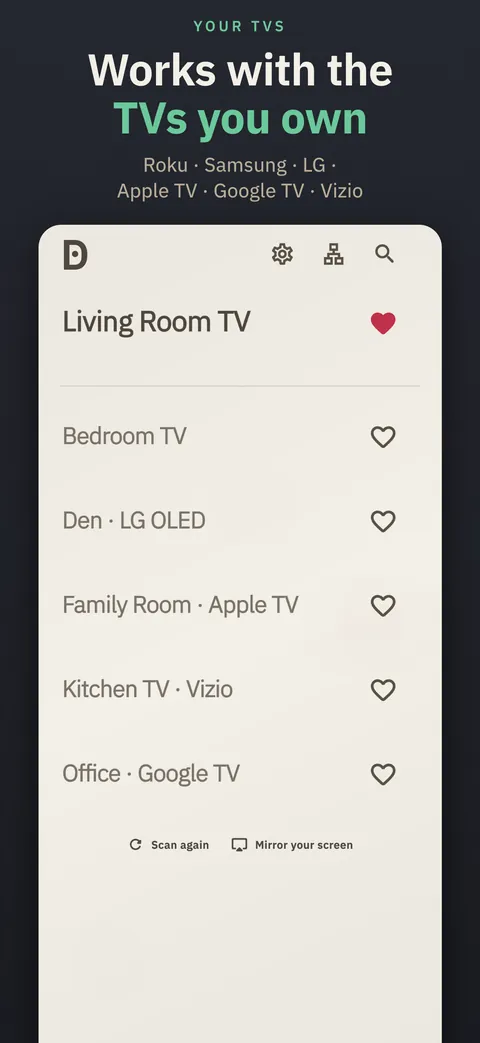
Every TV in the House
- Roku
- Samsung
- LG
- Google TV & Android TV
- Apple TV
- Chromecast
- Sony
- Vizio
- Panasonic
Your phone and TV need to be on the same Wi-Fi. Apple TV, Google TV and Android TV are found automatically; on iPhone, for Roku, Samsung, LG, Vizio, Sony and Panasonic, tap Connect by IP address and type the TV's IP address once (it's in the TV's network settings). Pair once if your TV shows a code or prompt, then switch between TVs from the top of the remote with no re-pairing. Power on needs a TV that can wake over the network. Roku players don't take volume or power keys, and app launching isn't available on Sony yet. Apple TV changes the volume only over HDMI-CEC, has no mute, and doesn't show what's playing. Chromecast and other Cast devices without Google TV are controlled from Android. Hisense VIDAA TVs aren't supported.
Game controller
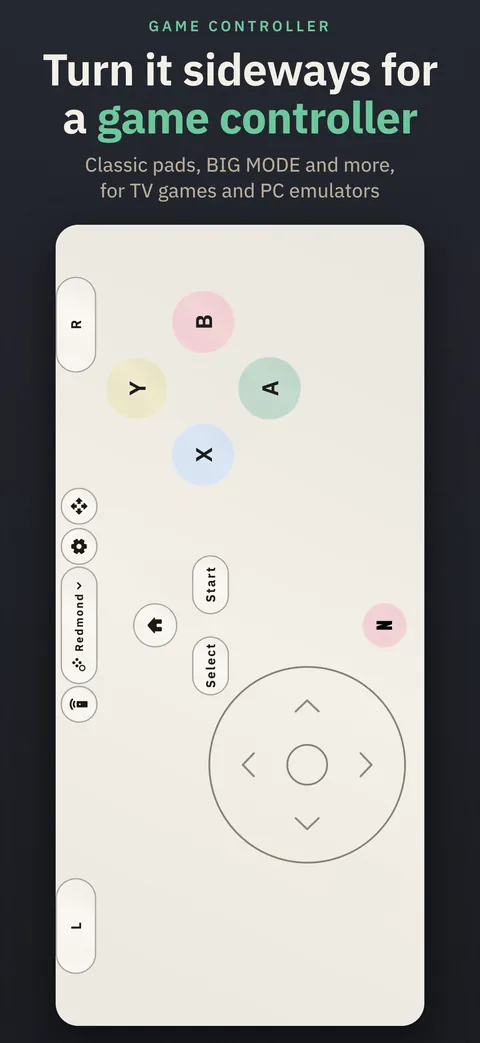
Turn it sideways. It's a controller.
Turn your phone sideways for nine free layouts, for TV games and PC emulators. Turn to switch, in Settings (off at first), flips between the remote and the controller as you tilt the phone.
- Toaster
- Rainbow
- Crescent
- Twin
- Redmond
- BIG MODE
- Swiper
- Cupertino
- Gaben
- Classic pads
- Toaster, Rainbow, Crescent, Twin and Redmond are classic pad shapes with colored face buttons.
- BIG MODE
- Big buttons, big text: Power, Home, Back, Play/Pause and volume, with nothing to hunt for.
- Swiper
- Your own buttons as a big, labeled deck you swipe through, beside a d-pad. Put your movie-night macro, the porch light and Netflix one tap away.
- Cupertino and Gaben
- Cupertino is an Apple TV-style touch surface: Apple TV gets real touch, and on other TVs swipes move the selection. Gaben gives you two trackpads, one under each thumb.
Three ways to play
- TV keys. On a TV it sends the remote's keys, for games and apps that take them.
- PC emulators, over Wi-Fi. Emulator mode adds two analog sticks, analog triggers, motion aiming and touch for PC emulators that support DSU, such as Dolphin and Cemu, plus RetroArch hotkeys.
- Bluetooth controller (Android only). On Android, the phone can pair as a Bluetooth controller with sticks and triggers, for many TVs and PCs.
Every layout and mode is free. Demote remembers your layout for each TV. Custom buttons fit in the gaps: the first in each layout is free, and more, plus moving and resizing controls, come with the Lifetime Unlock.
Home Assistant and button packs
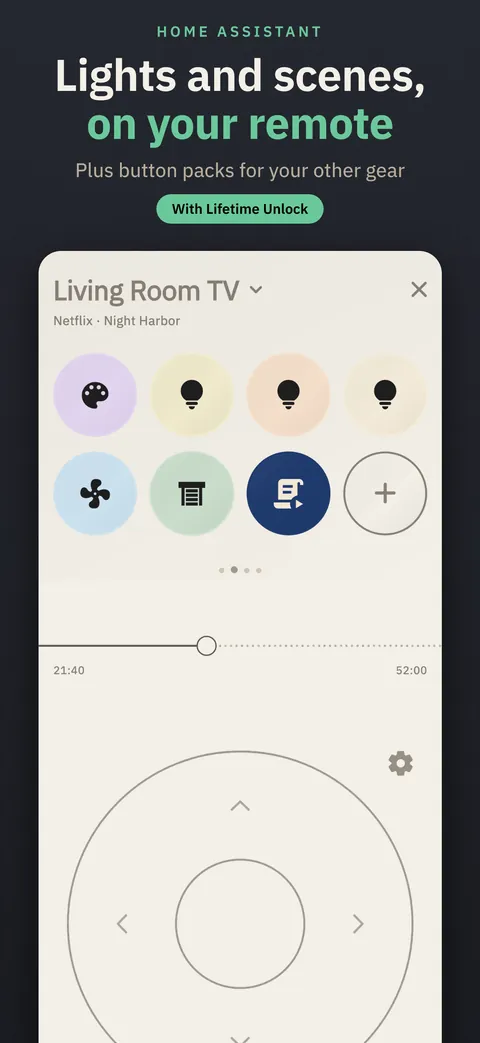
Lights, scenes and the rest of the room.
Turn on Home Assistant in Settings › Button Packs to put scenes, scripts, lights, switches, fans, blinds and speakers on your remote, grouped by room, add TVs that Home Assistant controls, and send a TV's volume to a speaker or soundbar. Demote talks to your own Home Assistant server directly; there's no Demote server in between.
Button packs add ready-made buttons for the gear around your TV. Turn one on, set it up in place, and its buttons get their own category in the Button Builder. Before you turn a pack on, Demote shows exactly what it will contact. 13 packs to start:
- WLED
- Shelly
- Tasmota
- ESPHome
- Kodi
- Denon & Marantz
- Yamaha MusicCast
- Hyperion & HyperHDR
- Lyrion
- Falcon Player
- Bitfocus Companion
- Hubitat
- IFTTT
Packs are data, not code, and they live in an open, reviewed directory on GitHub. Got a device with a local web API? Write a pack for it, test a draft on your hardware, or ask for one.
Connecting Home Assistant and turning packs on is free. Their buttons are custom buttons: your first is free, and the Lifetime Unlock adds 24 more. Web request buttons, in the Button Builder, reach anything else with a web address.
The Whole Remote Is Free
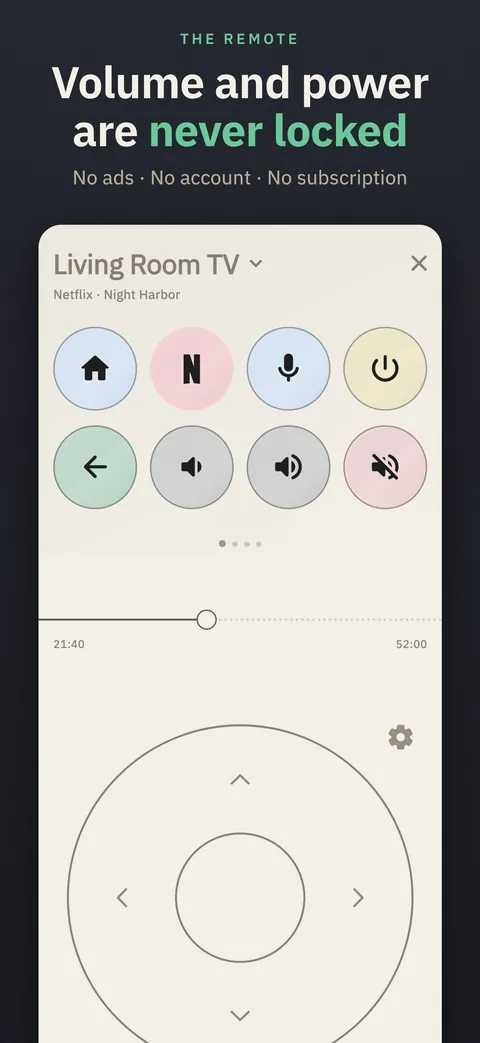
D-pad, OK, back, home and playback keys. Volume, mute and power. A trackpad, your streaming apps one tap away, and your phone's volume buttons while the remote is open (on iPhone, turn it on in Settings). Every controller layout and mode, Home Assistant and button packs are free too. Nothing that's free today will ever become paid.
Macros That Do the Whole Job
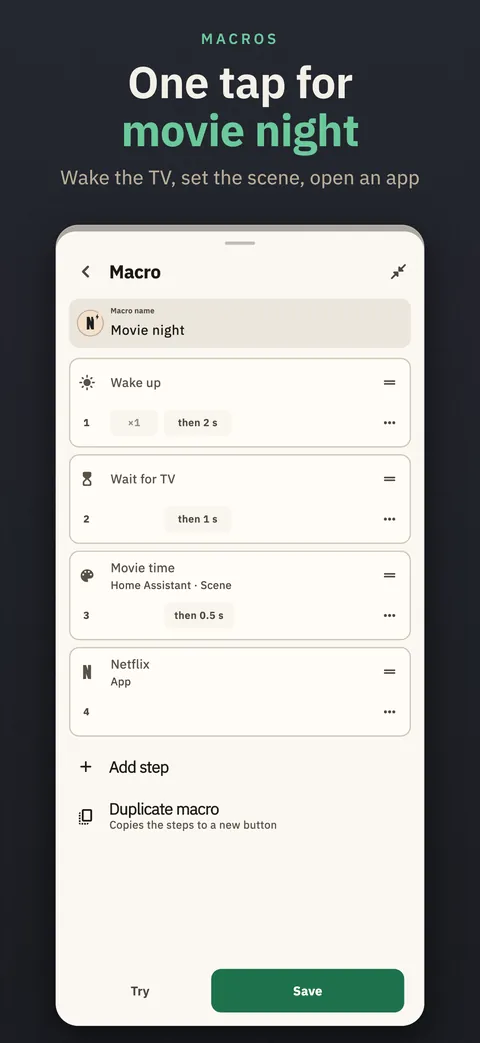
One button can wake the TV and wait for it, hold a key, switch the input, dim the lights and open your app, mixing TV keys, apps, Home Assistant, button packs and web requests. Start from Movie night, Skip intro or Quiet, try it before you save, and tap to stop.
Type From Your Phone
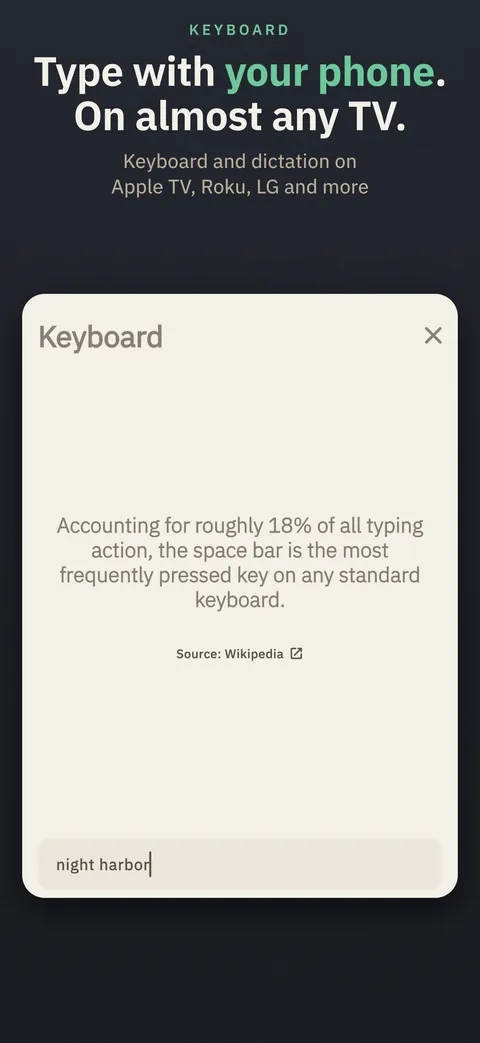
Type or dictate with your phone's keyboard on Roku, LG, Samsung, Sony, Google TV and Apple TV. Voice search with the mic button works on Google TV and Android TV. On Roku and LG, a button can launch any app installed on the TV.
See What's Playing
What's playing shows under the TV's name, with a live timeline. On Android, when a Cast app is playing, the timeline fills in on its own and you can drag to jump. Roku shows the live time, and LG shows whether it's playing.
Every TV, One Remote
Tap the TV's name to jump to another TV, and copy your buttons from one TV to another, free. A 30-minute sleep timer is free too. With the Lifetime Unlock, pick any length or have it turn off when the show ends, and turn every TV off at once. On iPhone, keep Demote open while the sleep timer counts down.
Photos and Mirroring
Send a photo or video from your phone to Roku and most Samsung, LG, Sony, Panasonic and Vizio TVs, free, and to Chromecast and Google TV from Android. The Mirror button opens AirPlay on iPhone and Cast on Android in one tap.
Widgets, Siri and Control Center
Free home-screen remote widgets on iPhone and Android, and a Quick Settings tile on Android. On iPhone, Lock Screen buttons, Control Center buttons (iOS 18) and Siri, as in “mute the TV with Demote”; a widget tap or a Siri request opens Demote to send it. Single-button widgets come with the Lifetime Unlock.
Themes and Your Photo
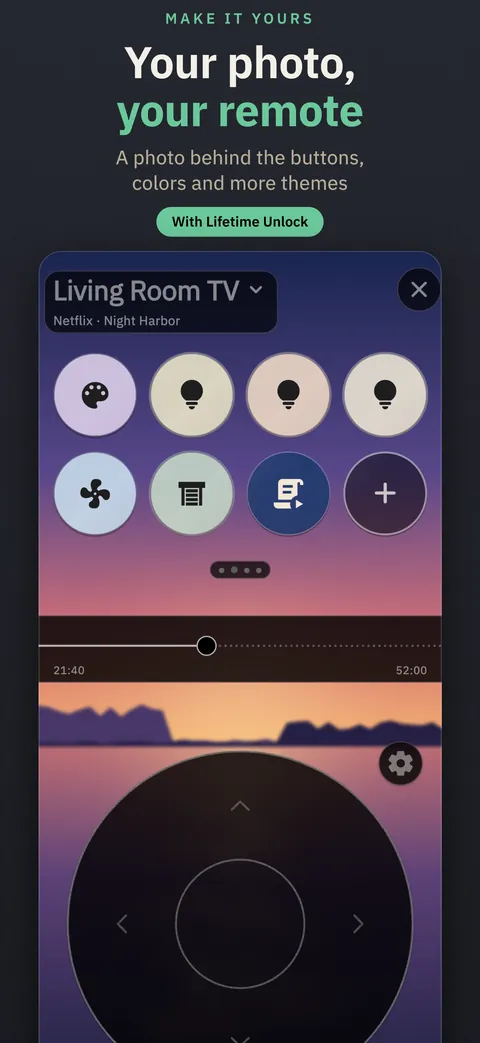
System, Dark and Light are free. The Lifetime Unlock adds more themes, like Peanut: warm graphite, chunky yellow, green and red keys and a cream OK. It also puts your own photo behind the remote, trackpad, keyboard and controller. Preview every theme, color and photo before you buy.
Built for VoiceOver and TalkBack
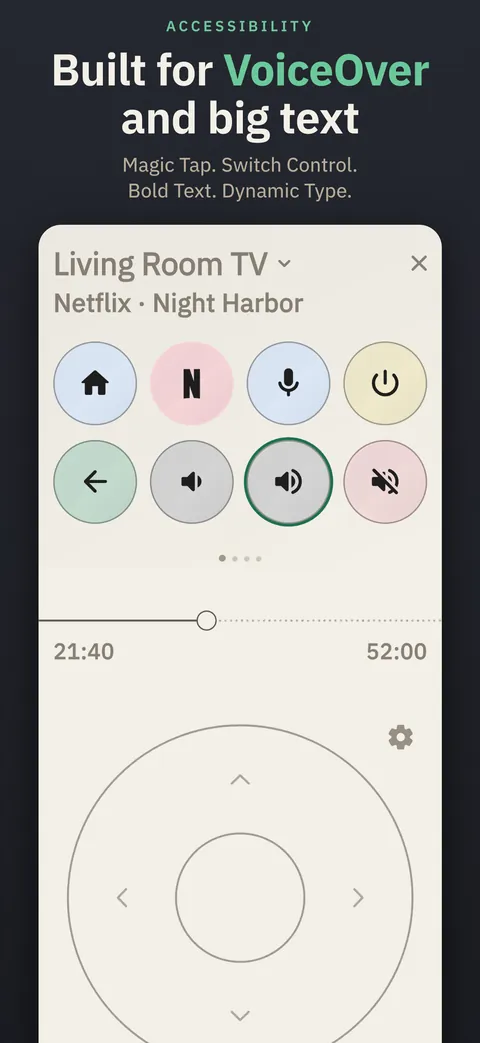
Every key works from a screen reader, a keyboard or Switch Control. Magic Tap plays or pauses, and Bold Text, Increase Contrast and Dynamic Type are honored. Swipe to change volume, seek or switch panes. Haptics can be set to Off, Some or Full.
English, Spanish and Portuguese
Demote is in English, Spanish and Brazilian Portuguese, and Siri phrases work in all three.
Private by Design
Demote talks to your TV and your Home Assistant directly over your network, with no Demote account and no sign-in. No ads, no tracking. Voice searches and photos go straight to your TV. On Android, the connection holds in the background while you use other apps.
Zero Touch (Experimental)
A hands-free voice mode. While the remote is open, say “television”, then your search, and it goes to your TV's own voice search on Google TV and Android TV. It turns itself off after 5 minutes.
A Look Inside
One Lifetime Unlock. Never a Subscription.
The remote is free to download and free to use, on iPhone and Android. If you want more, one optional purchase unlocks everything, forever. Try first: your first custom button, the first custom button in each controller layout and the 30-minute sleep timer are free. Every controller layout and mode, Home Assistant, button packs and copying your buttons to another TV are always free, and you can preview every theme, glow color and photo before you buy.
Bought it already, or bought Demote when it was a paid download on the App Store? Tap Restore purchase in Settings.
The Lifetime Unlock adds
- 24 more custom buttons on three extra panes
- More custom buttons in the game controller, and moving and resizing its controls
- Your photo behind the remote, trackpad, keyboard and controller
- More themes: Peanut, Midnight, Orchid, Ember Night, Lagoon Night, Ember, Lagoon, Moss and Rosé
- Colors for your custom buttons and the pick-up glow
- Remapping any default button
- A sleep timer of any length, or off when the show ends
- App-specific remotes that switch to match the app you're watching
- All TVs off: turn every TV off at once
- Single-button widgets for any key, app or macro